PTE Test Registration: How to Book Your PTE Exam
PTE test registration step by step: create a Pearson account, pick a test center and date, pay, and avoid common name-matching and booking mistakes.

Lume Test
|
Sep 30, 2026
•
5 min read
Key Takeaways
- PTE test registration step by step: create a Pearson account, pick a test center and date, pay, and avoid common name-matching and booking mistakes.
Your PTE test registration will be an important first step to obtaining your university admissions, professional certifications, or immigration visas. Registering for the exam with zero technical issues will help ensure a great experience during your test session and give you the ability to concentrate entirely on scoring your desired marks.
The following is a complete guide that covers official Pearson ID requirements, the account setup process, booking mistakes to avoid and a study plan using LUME’s tools.
|
Want to FINALLY Pass the PTE Test And Achieve Your Goals? Get Your FREE Lume Account Today to Unlock… ✅ 10,000+ PRACTICE QUESTIONS with detailed answers ✅ FREE MOCK TESTS with fast & accurate AI scoring ✅ Get BETTER SCORES with a PERSONALIZED study plan (Limited seats available!) |
PTE Test Registration Requirements
Registering for the PTE examination involves creating an account using the Official Pearson PTE Website. For registration, you will need a valid, non-expired ID (a passport if you test outside your country of citizenship) and a payment method: a card, Google Pay, Apple Pay or a voucher.
Make sure that the following are satisfied in their entirety before you begin the registration process:
Identification Document: If you test outside your country of citizenship, a physical original passport is the only accepted ID. No digital document, photocopy, student ID, or expired passport is accepted at all during the check-in process at the test center.
Perfect Data Matching: Your legal name and date of birth in your registration profile must match your passport exactly, including any middle names.
Age Requirements: If you are under 18, a parent or guardian must complete Pearson’s Parental Consent Form. Once approved, it is valid for all your tests until you turn 18.
Educational Requirements: Pearson does not specify a formal educational qualification as a requirement for PTE registration.
Single Account Requirement: Candidates should have only one Pearson account. If you have created more than one, contact Pearson support before booking a test.
How to Register for the PTE Exam Step-by-Step
Registering for the PTE exam is quick when you follow Pearson’s standard booking sequence.
Step 1 – Create a Pearson Account
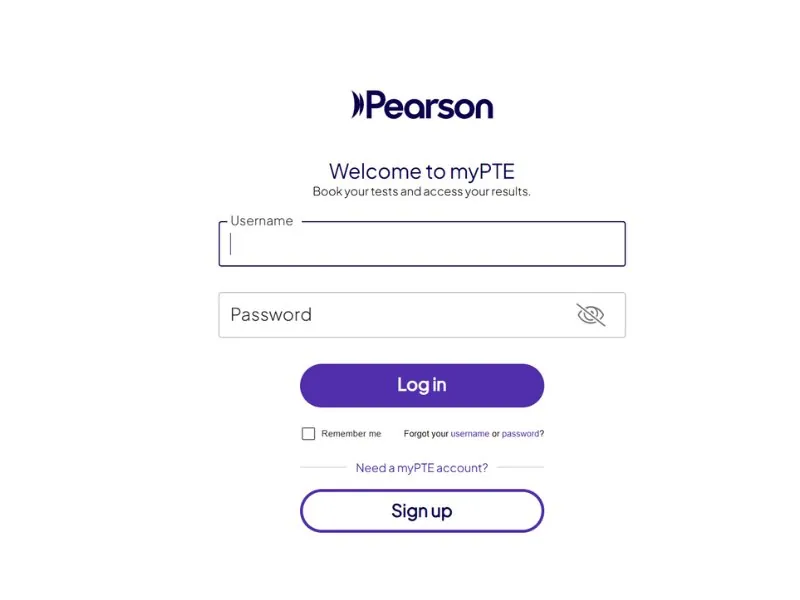
Access mypte.pearsonpte.com and click on “Sign Up” to create your formal test account.
- Input Personal Information: Type in your real first name, middle name, and last name just as they appear on your passport.
- Input Date of Birth: Enter your date of birth exactly as it appears on your passport, and add a working mobile phone number.
- Confirm Your Email: Click on the activation link that you get on your personal email address.
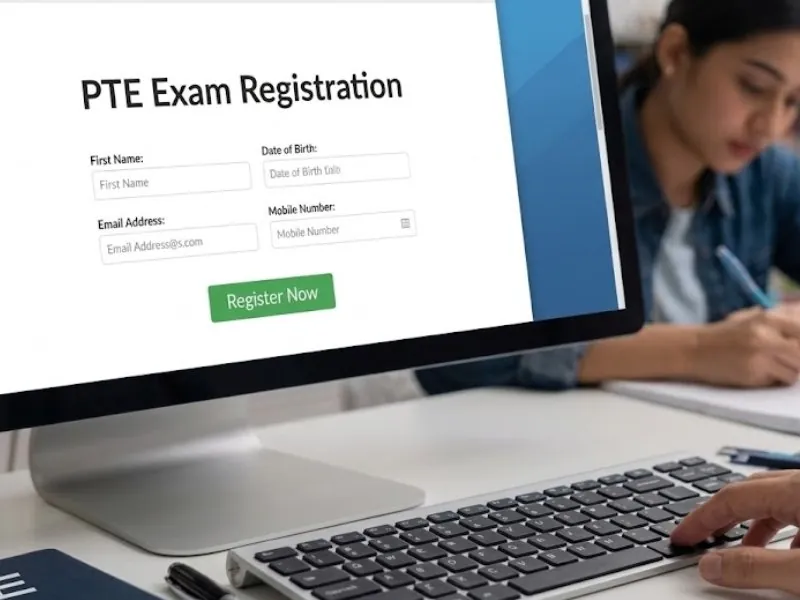
Fill out personal data fields matching your official passport details exactly.
Step 2 – Select Your Test Type
Sign in to your MyPTE account, and click “Book Test” to choose the appropriate test format that your receiving institution needs.
- PTE Academic: Use this version if you need the test for university admissions or professional qualifications, or for visa applications that accept PTE Academic, such as in Australia and New Zealand.
- PTE Core: Use this version if you need the test for Canadian permanent residency or economic immigration.
- PTE Academic UKVI: Use this version if you need a Secure English Language Test (SELT) for your UK visa application.
- PTE Home: The fourth PTE product, used for specific visa routes. Book it only if your visa application names PTE Home.
- Confirm Compatibility: All PTE tests are taken at a test center, so make sure your institution accepts the specific PTE test you book.
Step 3 – Find a Test Center
Check out the interactive center locator on the MyPTE platform to locate the venues available in your locality.
- Find Centers by Location: Enter your city, state, or zip code to locate nearby Pearson VUE authorized test centers.
- Compare Centers: Check seat availability at several nearby centers before you choose one.
- Prefer Official Locations: Try to opt for the official Pearson Professional Centers (PPC) whenever possible.
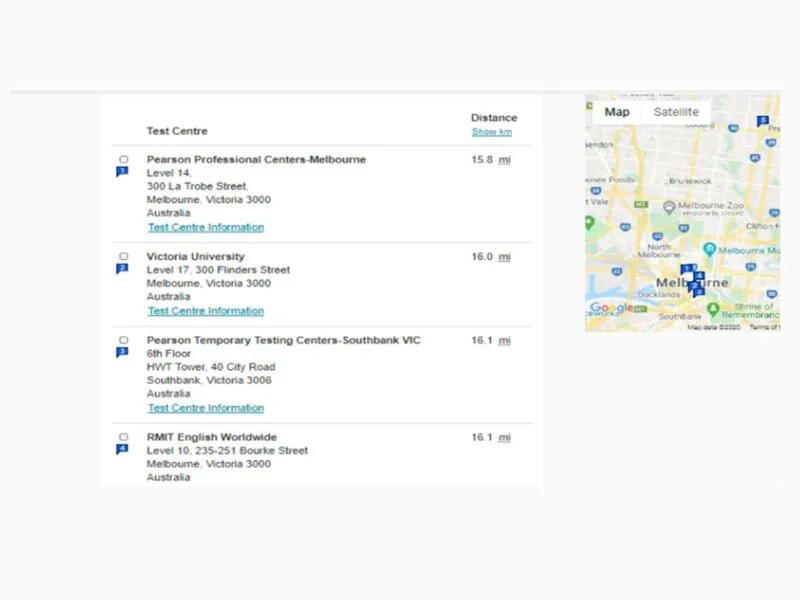
Compare neighboring test centers to locate optimal appointment times.
Step 4 – Choose Your Test Date and Time Slot
Choose your desired date and time slot of your test based on your personal high energy period.
- Check Availability on Calendar: Click on the test center you wish to take your test at and see its available dates.
- Select Time Slot: In case you have sharp cognitive thinking in the mornings select a morning session.
- Confirm Your Slot: Confirm your selected time slot and move to checkout promptly, before the seat is taken.
Step 5 – Complete Payment
Prior to submitting your test fee, make sure you have reviewed your order details in order to check that your chosen test module, test date, time slot, and the address of your testing center are 100% accurate. You can pay by card (American Express, Discover, Mastercard or Visa), Google Pay, Apple Pay, or a voucher bought from an approved agent (vouchers are non-refundable). Test takers in China can also use WeChat Pay or Alipay, and in India PayU. PayPal is not accepted.
Step 6 – Receive Booking Confirmation
Please review and save your booking confirmation details after completing the payment process. If you do not receive a confirmation email, check your spam or junk folder and review your booking details in your myPTE dashboard.
How Far in Advance Should You Register for PTE?
Register for your PTE Test 1 to 2 months before in order to get your choice of test center, test date, and time slot. Pearson lets you book up to 6 months ahead and as late as 24 hours before your test, but scheduling well ahead of time eliminates any possible hassle for last minute arrangements and helps you plan better.
Registration Schedule
- Best Time to Register: 1 to 2 months prior to your desired test day. This becomes even more important when it comes to the peak seasons for admissions and immigration.
- Last-minute booking: Up to 24 hours before, subject to seat availability.
- Rescheduling and refunds: More than 14 full calendar days before your test, you can reschedule free (up to 6 times per appointment) or cancel for a 100% refund. With 14 days or fewer left you cannot reschedule (cancel and rebook instead); cancelling between 13 and 8 full calendar days before your test gives a 50% refund. With 7 days or fewer left, there is no refund.
- Retakes: You can only book your next test once you have received the scores from your last one. Results are typically available within 48 hours, and Pearson aims to deliver them within five business days of your test date. You can take the test up to 12 times in any 12-month window.
Common PTE Registration Mistakes and How to Avoid Them
Be aware of the following mistakes that can affect your test center registration process:
- Missed Name Matching: Make sure your account profile name is an exact match for your passport, including middle names. You can edit account details until 3 days before your test; after that, contact Pearson support.
- Selecting the Wrong Test: Check whether your institution or visa requires PTE Academic, PTE Core, PTE Academic UKVI or PTE Home, and pay only after confirming that.
- Creation of Duplicates: Do not create a new account in case you forgot your password. Use recovery options or contact Pearson support for help.
Best Preparation Strategy Before Your Registered Test Date
Once you have set the date for your exam, use a systematic approach in order to ensure that you can achieve the highest possible score at first attempt.
1. Identify Your Specific Weaknesses With LUME AI-Based Diagnostics
You should start with taking an initial diagnostic test on LUME’s AI-based platform right after signing up for your actual exam date. The platform gives you immediate feedback on your fluency, pronunciation and grammar accuracy, modelled on PTE scoring criteria. As a result, you will be able to define your exact weak areas in Speaking, Writing, Reading, and Listening to avoid wasting your precious preparation time. Apply your diagnostic results to create a personal study plan based on your weak areas.
2. Pay Special Attention to High-Weight Tasks
PTE candidates should spend their study days focusing on high-impact task types that are Read Aloud, Repeat Sentence, and Write From Dictation. These tasks appear many times in the test (6 to 7 Read Aloud and 10 to 12 Repeat Sentence items), and Repeat Sentence and Write From Dictation each count toward two communicative skills, providing the quickest way of improving your overall score. Use specific techniques provided by LUME’s certified tutors in Australia and Vietnam to work on these skills effectively.
3. Practice Timed Full-Length Mock Tests
Take at least 3 practice tests in the last 10 days before your test date. Practice under a test environment makes sure that you manage your timing and train your brain to work under time constraints. Timed full-length mock tests offered by LUME simulate real test timing.
Conclusion
Completing your PTE test registration with complete accuracy avoids any unnecessary charges and complications that might hamper your preparation. It is essential that you check your physical passport details, choose the right exam module, and make sure you book your place at the test center ahead of time.
After your registration is done, get prepared using LUME. Utilize our AI based practice software, immediate score analysis, and personalized tutoring by professionals from Australia and Vietnam. Sign up now at LUME and pass your exam on your first attempt!
Related practice resources
|
Want to FINALLY Pass the PTE Test And Achieve Your Goals? Get Your FREE Lume Account Today to Unlock… ✅ 10,000+ PRACTICE QUESTIONS with detailed answers ✅ FREE MOCK TESTS with fast & accurate AI scoring ✅ Get BETTER SCORES with a PERSONALIZED study plan (Limited seats available!) |
Share:


Lume Test
Editor
Passionate about helping learners master English exams with AI-driven insights and structured learning paths.
Practice PTE Academic with Lume
AI-powered scoring, realistic mock tests, and smart feedback tailored to your target score.